 Duskwatch by
Duskwatch tells on-call engineers what broke, and whether it can wait
Duskwatch is an iPhone app for engineers on call for infrastructure on DigitalOcean. A push alert wakes you, the app shows what broke and whether it can wait, and a few guarded actions, such as a rollback, handle the common fixes. Nano Soft is building it now, and a waitlist is open.
- In development
- Platform
- iOS (iPhone)
- Category
- On-call and monitoring app
- Status
- In development
- Year
- 2026, in development
- Role
- Product, design, build
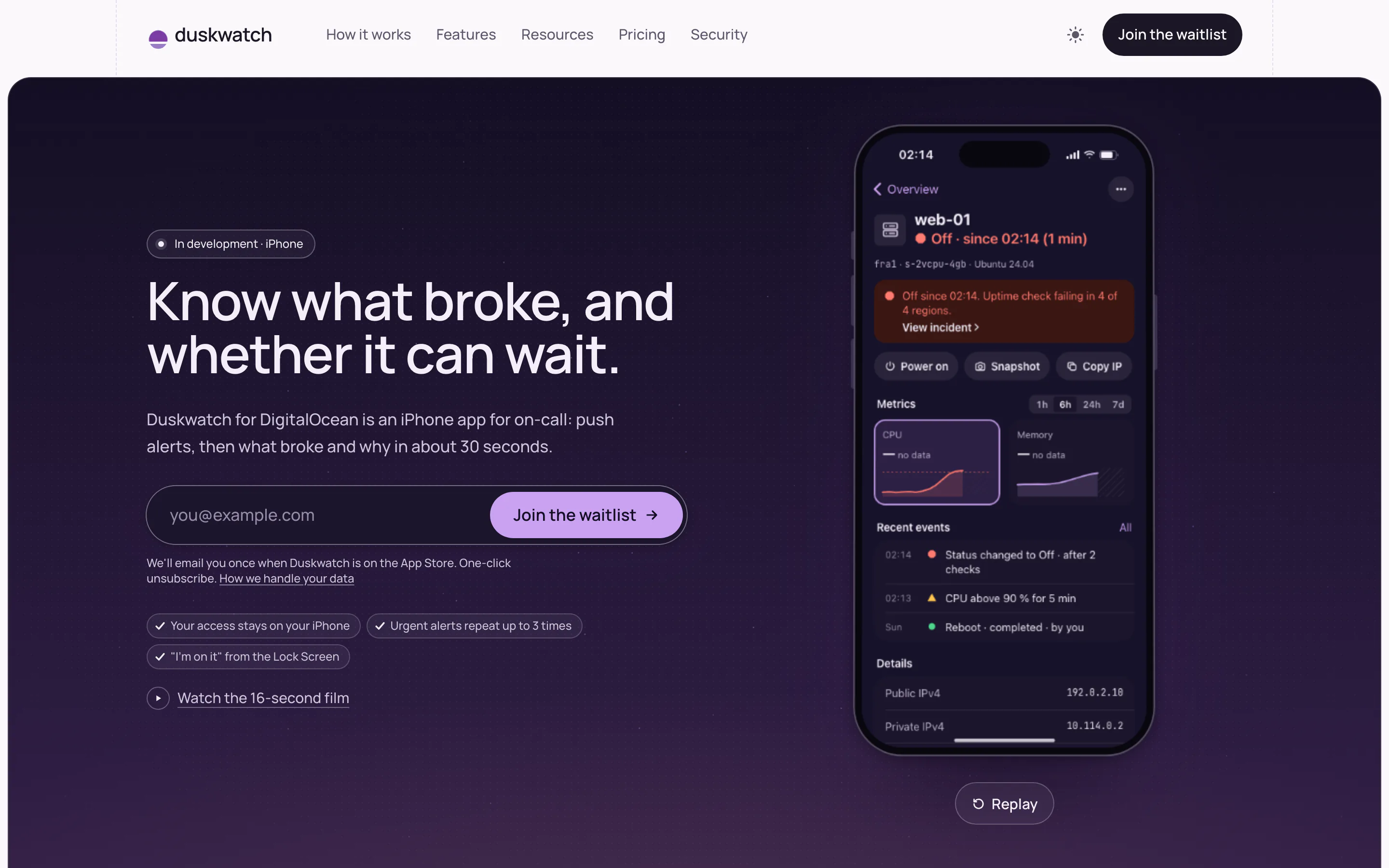
The app as shown on duskwatch.app, after opening an alert. Still in development.
Duskwatch is an independent app. It is not affiliated with, endorsed by, or sponsored by DigitalOcean. DigitalOcean is a trademark of DigitalOcean, LLC.
Challenge
An email at 02:14 and no laptop in reach
DigitalOcean sends its alerts by email or Slack, and spend alerts by email only. Acting on a problem usually means opening a laptop. For the person on call, the first question is simple and hard to answer from a phone: what broke, and can it wait until morning?
Answering it means piecing together graphs, deploy activity and the status page, and half of that is ruling out the platform itself. During a platform-wide incident, alerts arrive one after another for problems nobody on the team can fix.
There is also a trust problem. An app that can reboot servers needs powerful access to your cloud account. If that access leaks, or sits on someone else's server, it becomes a risk.
Approach
Design for the 2 a.m. moment
We designed for the moment the alert lands: four steps, then back to sleep. Everything else waits for the laptop. Duskwatch does not replace DigitalOcean's alerts or control panel, and it never creates, resizes or deletes anything.
Access follows least privilege. Signing in only lets the app look. Changing things is a second permission you approve on its own, and it never leaves the iPhone. Alerts use a third, read-only permission held by a small server in Frankfurt, which rejects anything that can write.
Privacy is built into the design, not written into a policy. Notifications carry only IDs and the phone fills in the names, so the server never learns what your servers are called. Findings are plain sentences, worst first, and a likely cause is labeled as a guess.
Three permissions, not one
Viewing, acting and alerting are separate permissions, and the one that can change things stays in the iPhone Keychain.
No delete actions
Thirteen guarded actions, each named in a swipe and confirmed with Face ID, and none of them destructive.
Group alerts during incidents
Bursts become one notification, and alerts during a platform incident in your regions wait under a single incident notice.
IDs only on the server
The alert server holds no names, logs or passwords, and deletes its data within 24 hours of alerts being turned off.
What we built
What the app does
A native iPhone app with a small alert server behind it. This is the scope published on duskwatch.app ahead of launch, and the visuals here are the site's mockups of the app.
Push alerts, 18 types
Droplets, deploys, databases, Kubernetes, uptime, certificates, spend and more, each with its own switch.
Findings, not dashboards
One plain sentence per problem, worst first, such as a disk that will be full in five days.
13 guarded actions
Power, snapshots, redeploys and rollbacks, each armed by a named swipe and Face ID.
Live logs and spend
App logs with a live tail, and a month-end spend estimate with a budget warning.
Lock Screen and Watch
Live Activities, widgets, Siri, and an "I'm on it" reply from a paired Apple Watch.
Every team in one app
All your teams side by side, with problem counts and an alert scope for each.
Outcome
In development, with a waitlist open
Duskwatch is in development for iPhone. The waitlist is open and a TestFlight beta is announced as coming soon, ahead of an App Store release. There are no users or revenue to report yet. When the beta opens, a free read-only tier and a sample-data mode let people try it without a subscription or an account.
What is ready is the scope and the rules: the feature set, pricing, a published security model, a privacy policy and terms, all public on duskwatch.app. Duskwatch is an independent app, not affiliated with DigitalOcean. We will update this page when the beta opens.
- Status
- In development
- Platform
- iPhone
- Next step
- TestFlight beta, then App Store
Screens
Inside Duskwatch
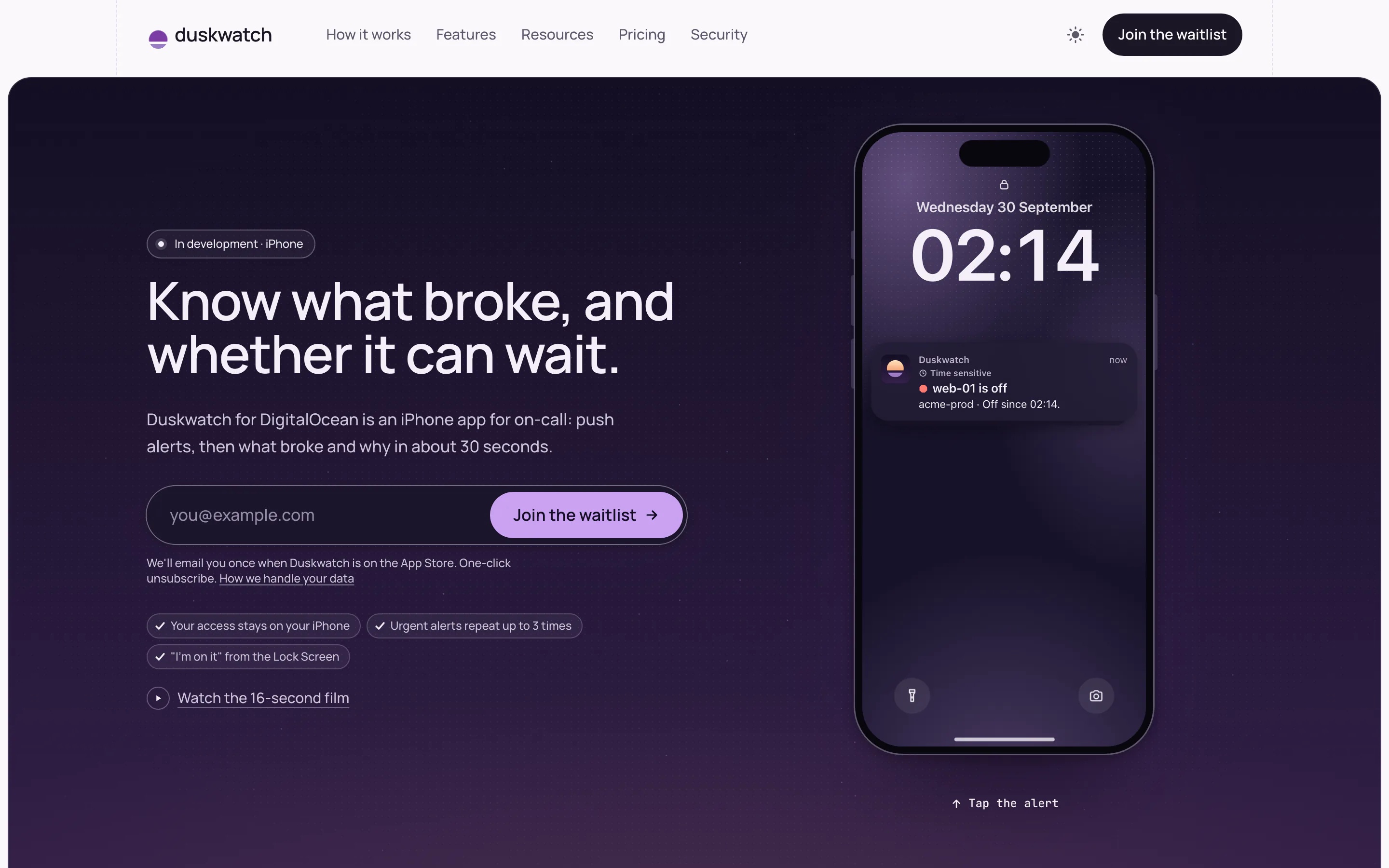
The Lock Screen alert that starts a night on call, as shown on the site. 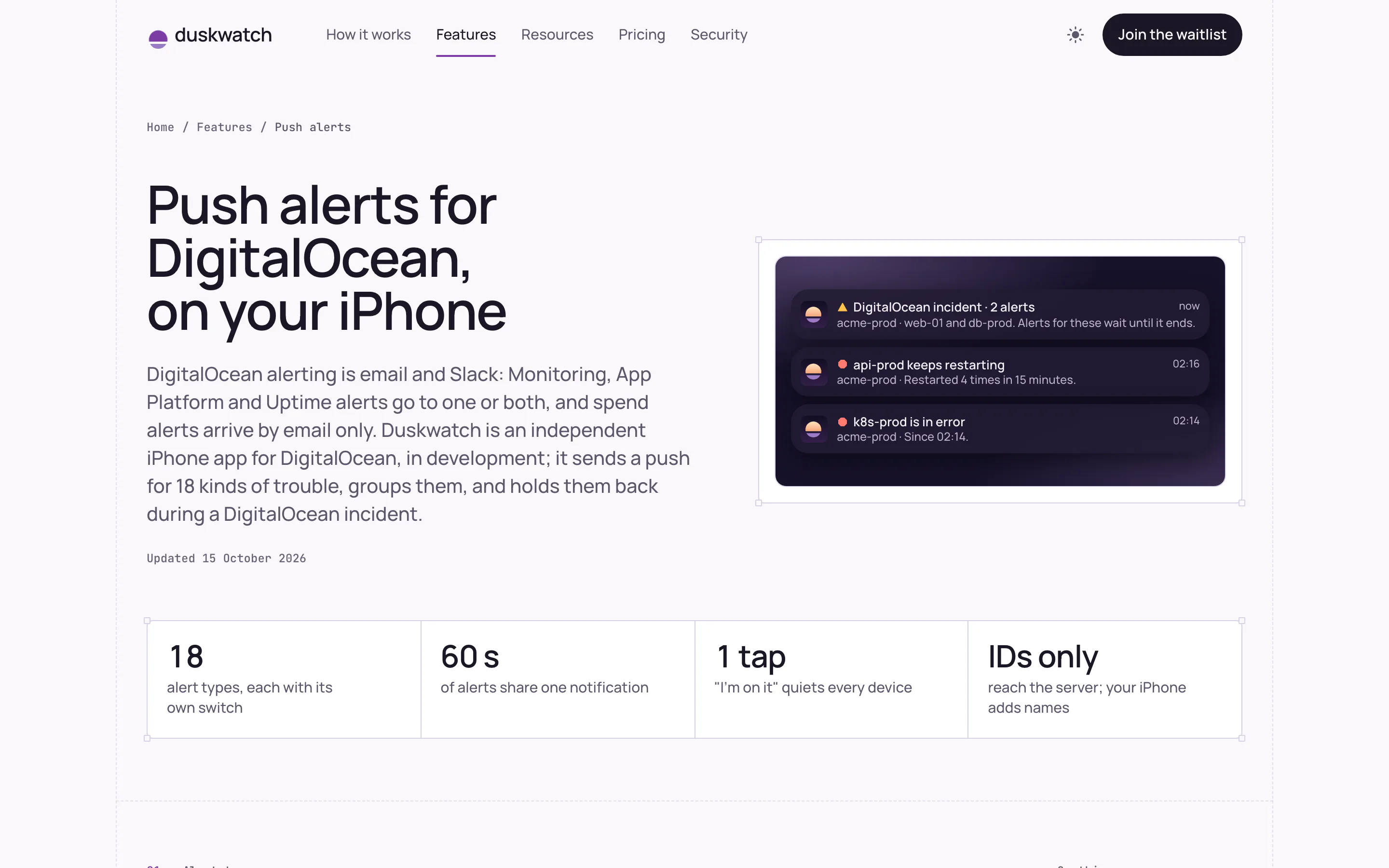
Alerts grouped into one notification during an incident. 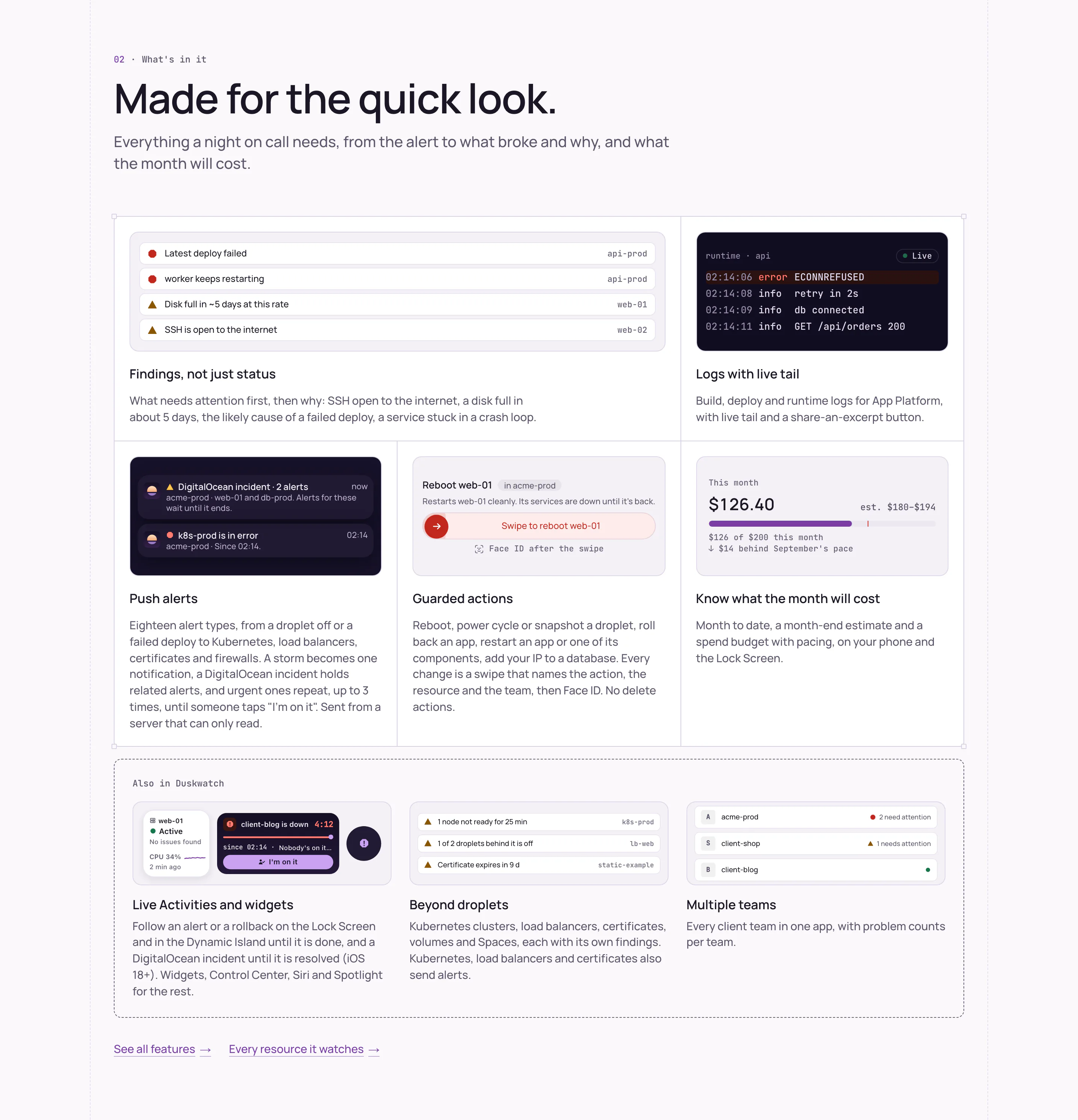
Findings, live logs, guarded actions and a month-end cost estimate.
Want a product like Duskwatch?
A few lines are enough: what the product is, where it stands and when you need it. We reply to every message within 2 working days.
- hello@nano-soft.tech
- Reply
- Within 2 working days
- Based in
- Bucharest, Romania